
Help Center/FAQ

How can I buy tickets at TICKETIER?
How to buy tickets via the website www.ticketier.com and TICKETIER application
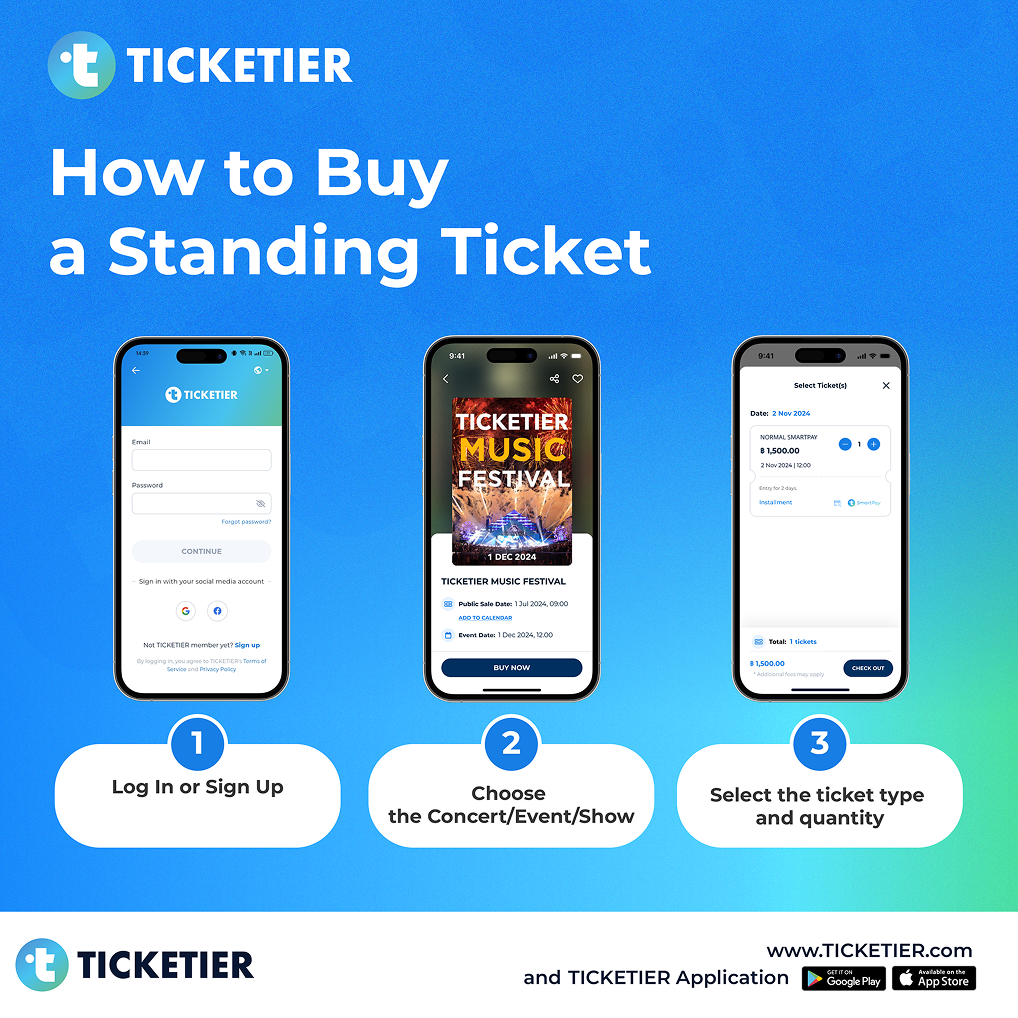
Standing Ticket (Full payment)
Step 1:
Log in or Sign up (more detail for sign up click here)
Step 2:
Choose the Concert/Event/Show from 'Home'
Step 3:
Select the ticket type and quantity
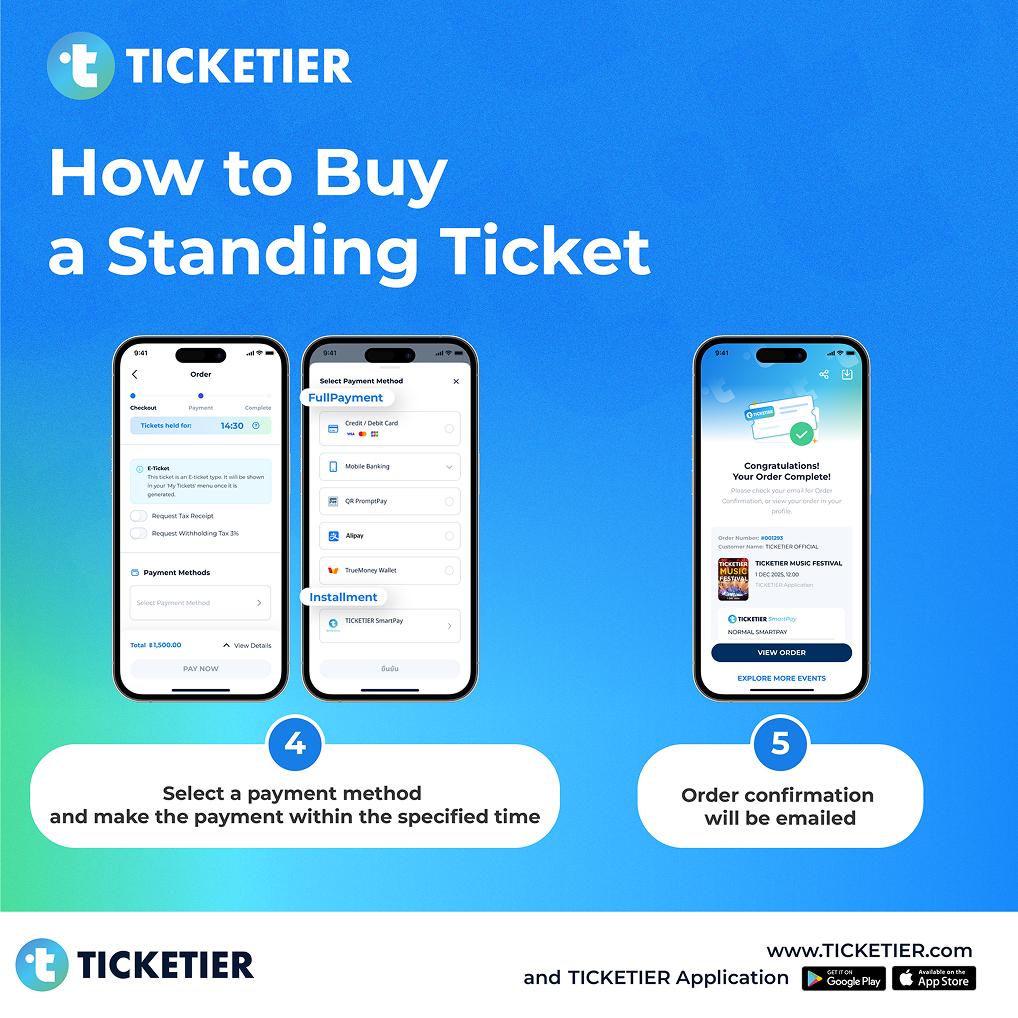
Step 4:
Select a payment method, review the payment amount, and make the payment within the specified time (more detail for payment click here)
Step 5:
Await an email Order Confirmation after successful payment verification
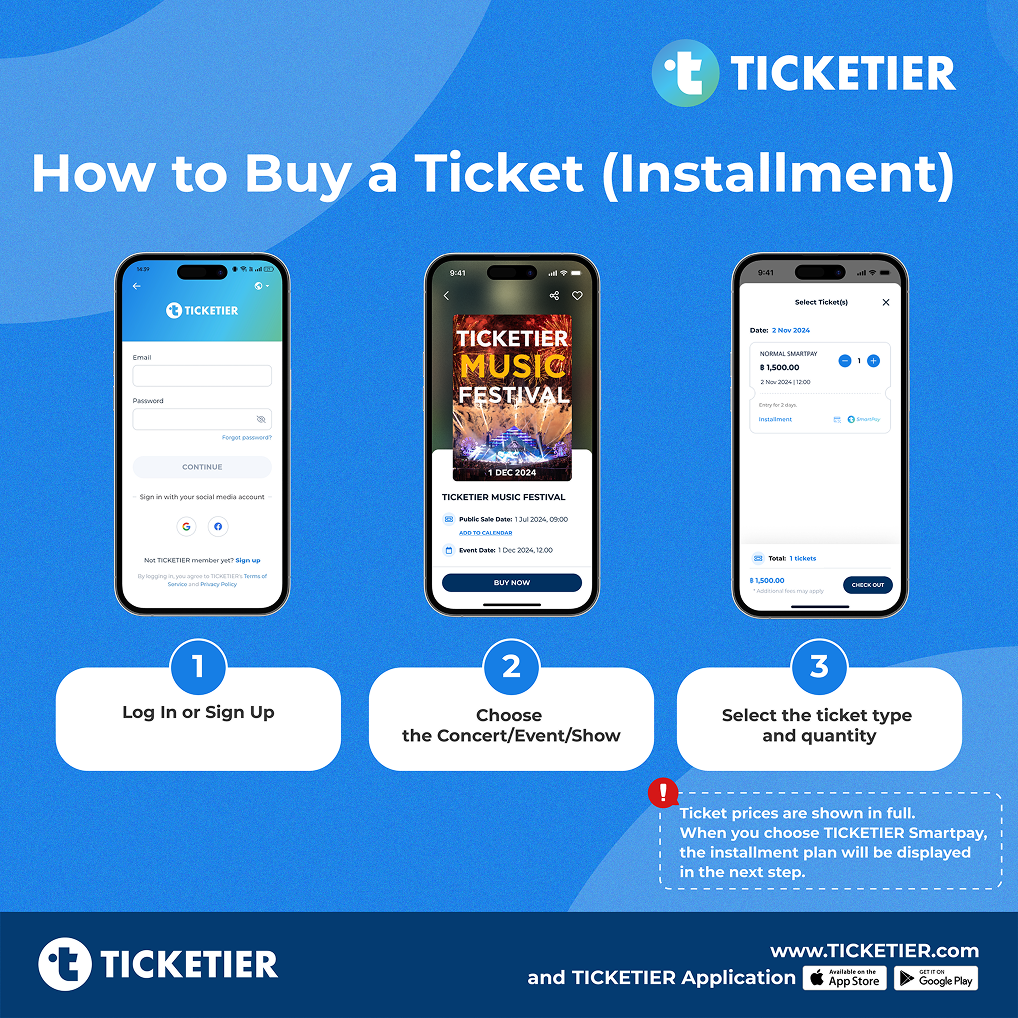
Standing Ticket (installment)
Step 1:
Log in or Sign up (more detail for sign up click here)
Step 2:
Choose the Concert/Event/Show from 'Home'
Step 3:
Select the ticket type and quantity
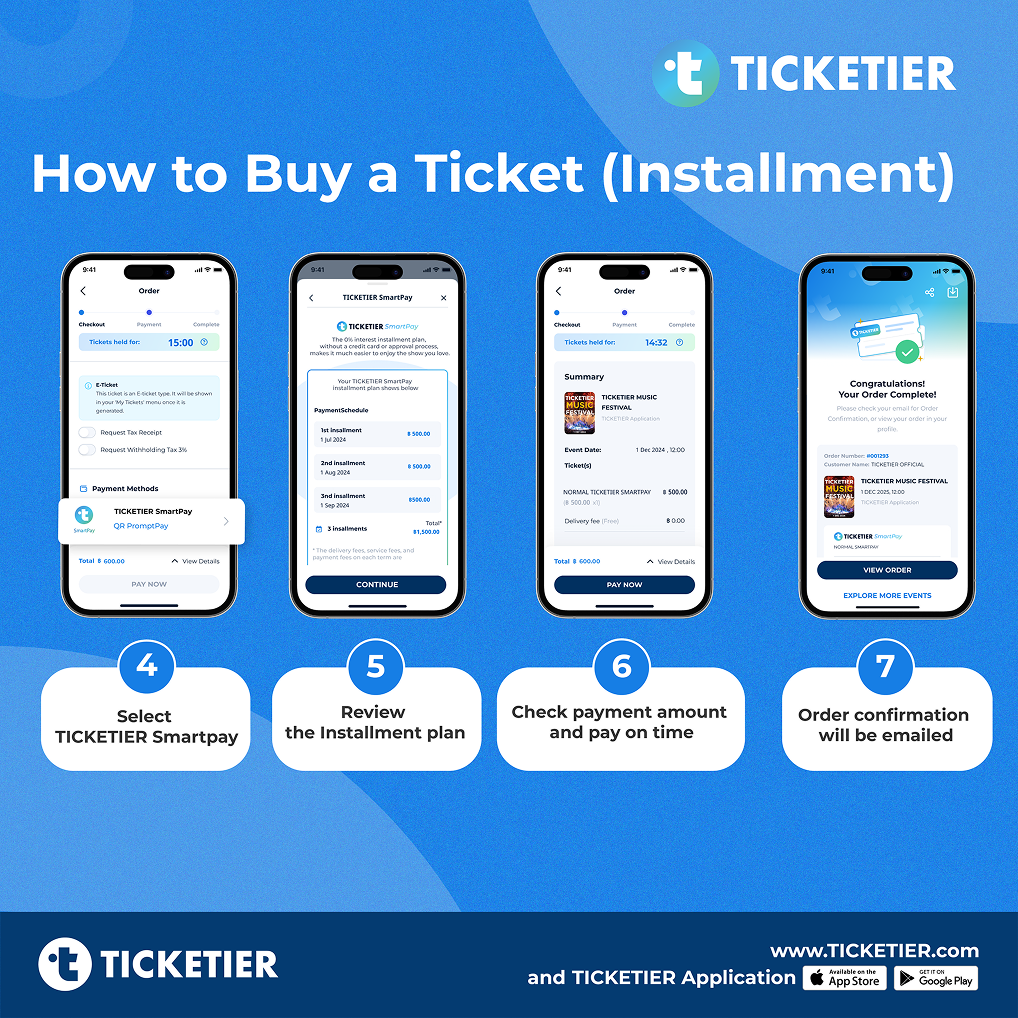
Step 4:
For a physical ticket sent via postal mail, please fill in the delivery address completely, then select "TICKETIER SmartPay" as a payment method
Step 5:
Review installment plan
Step 6:
Check the installment amount (for the 1st, 2nd, or 3rd installment)
Step 7:
Await an email Order Confirmation after successful payment verification
Note: Check your installment payment history in the TICKETIER SmartPay menu (more detail for checking payment history click here)
For Seated Tickets (Full Payment)
Step 1:
Log in or Sign up (more detail for sign up click here)
Step 2:
Choose the Concert/Event/Show from 'Home'
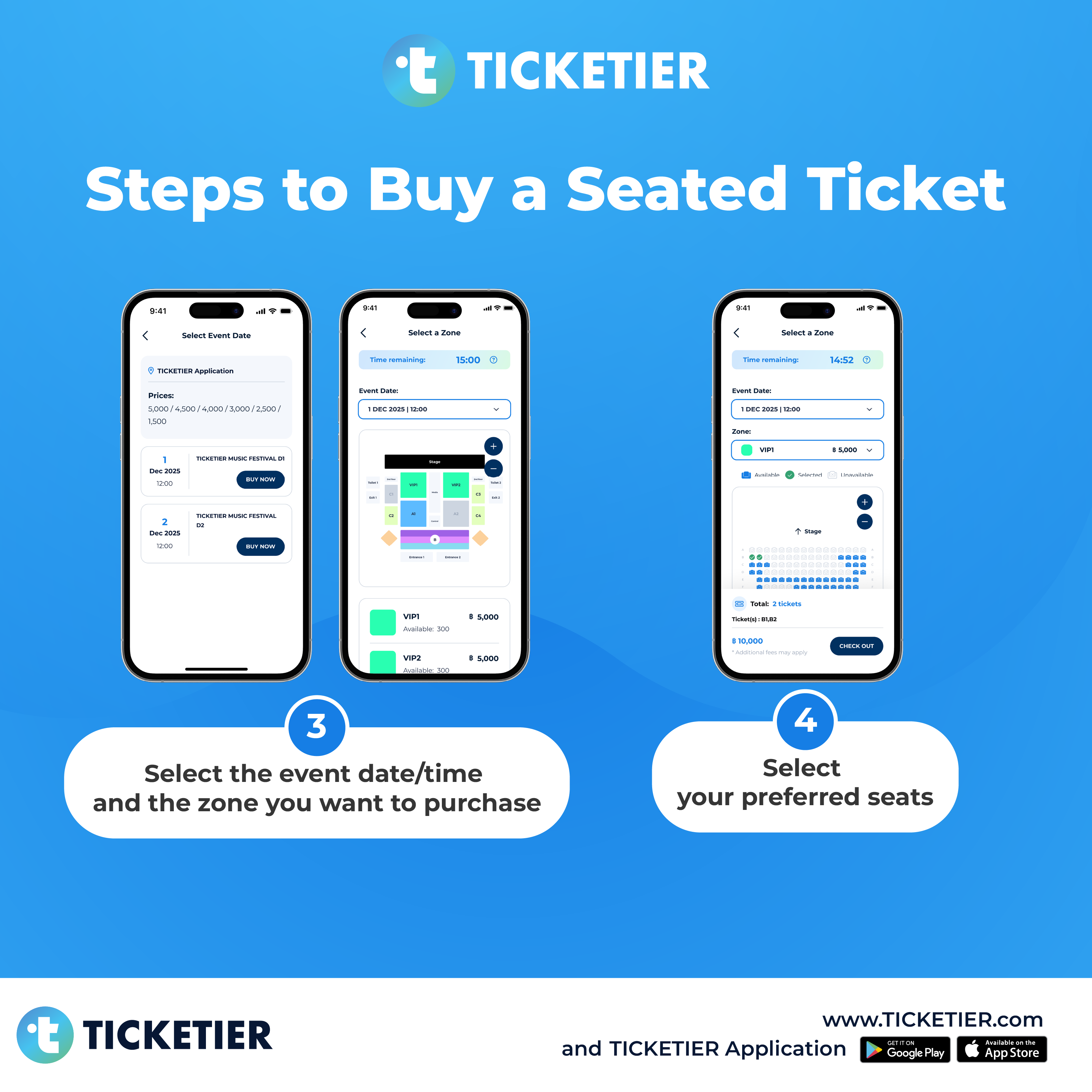
Step 3:
Select the event date/time and the zone you want to purchase
Step 4:
Select your preferred seats:
 Available
 Selected
 Unavailable
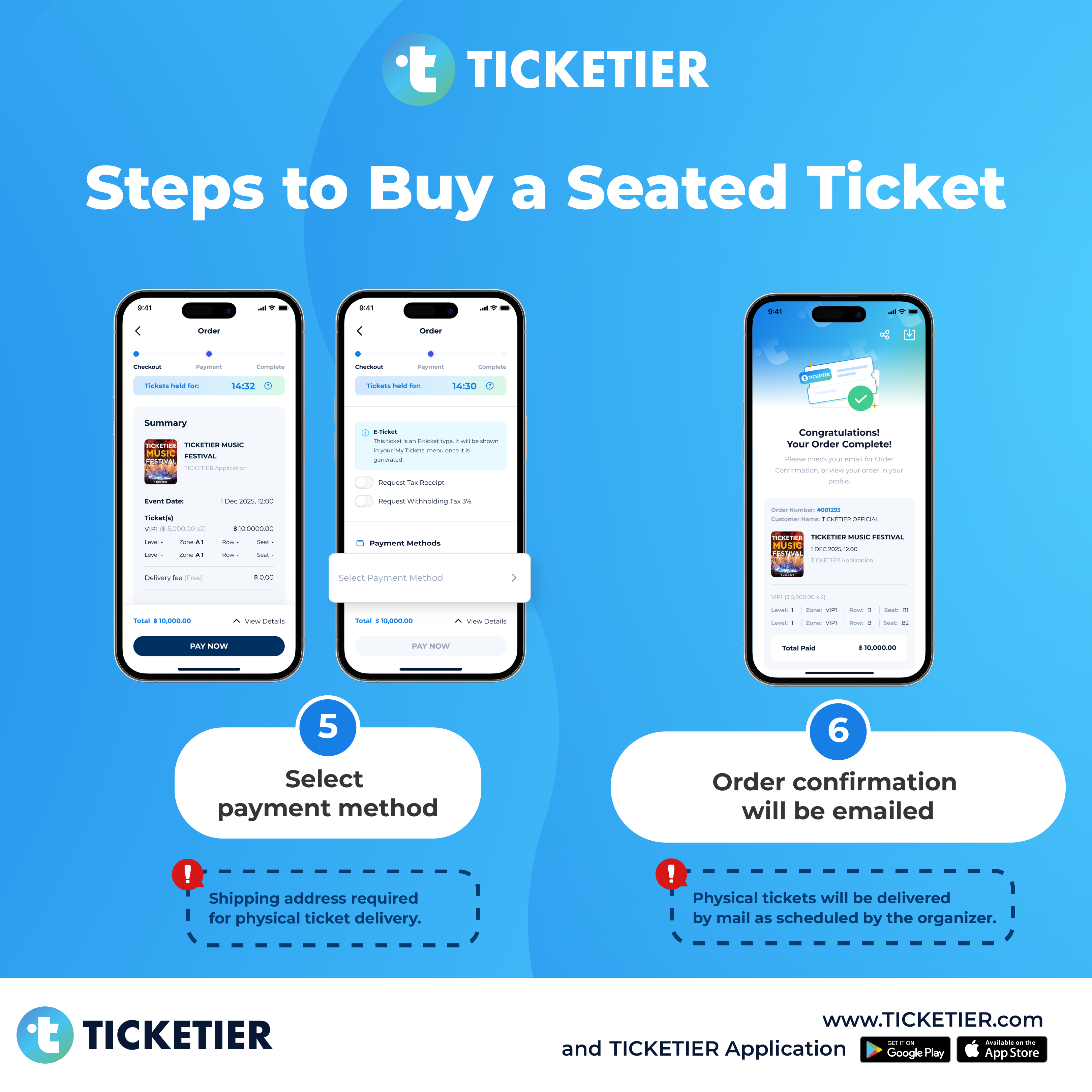
Step 5:
For a physical ticket sent via postal mail, please fill in the delivery address completely, then select a payment method, review the payment amount, and make the payment within the specified time (more detail for payment click here)
Step 6:
Await an email Order Confirmation after successful payment verification


For Seated Tickets (Installment)
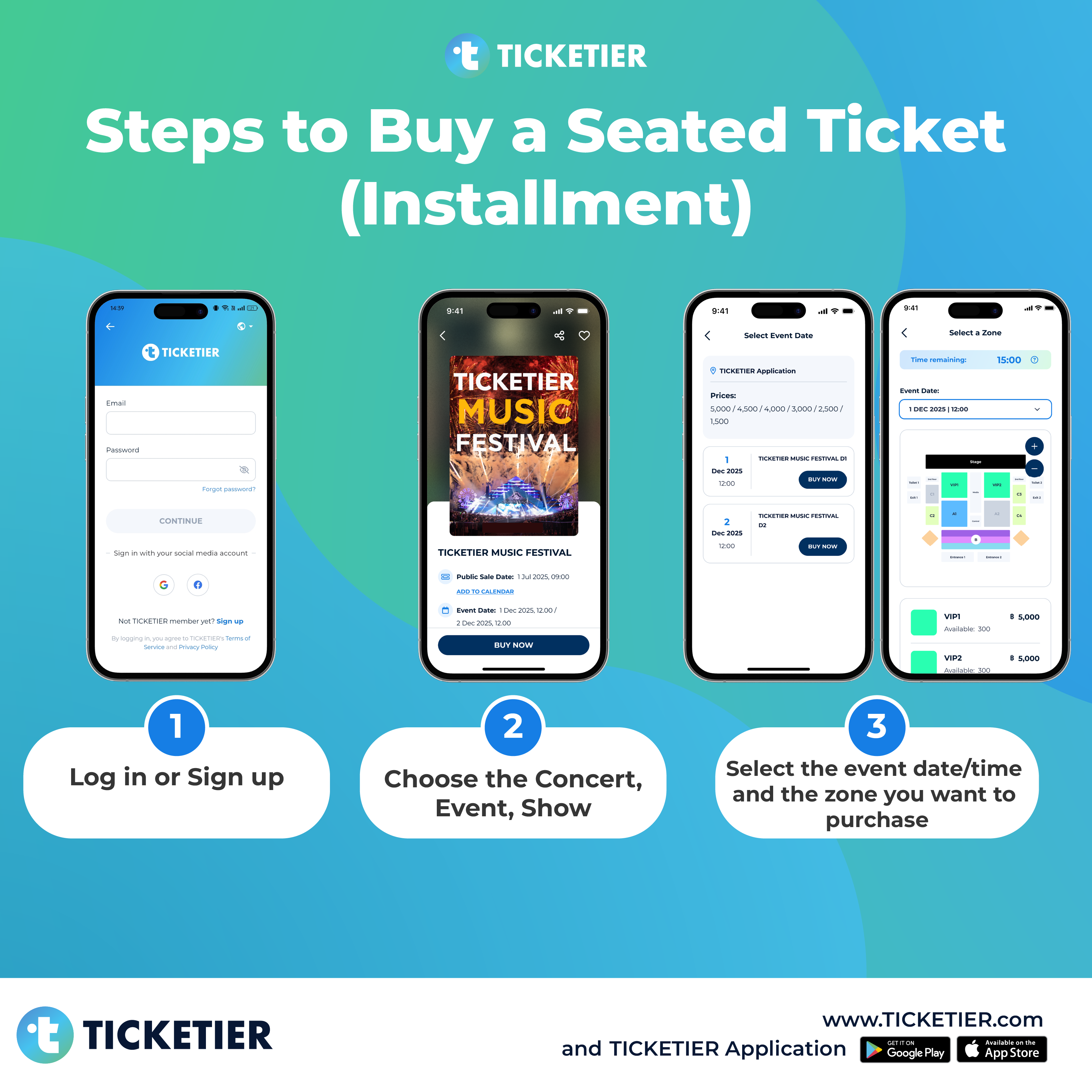
Step 1:
Log in or Sign up (more detail for sign up click here)
Step 2:
Choose the Concert/Event/Show from 'Home'
Step 3:
Select the event date/time and the zone you want to purchase
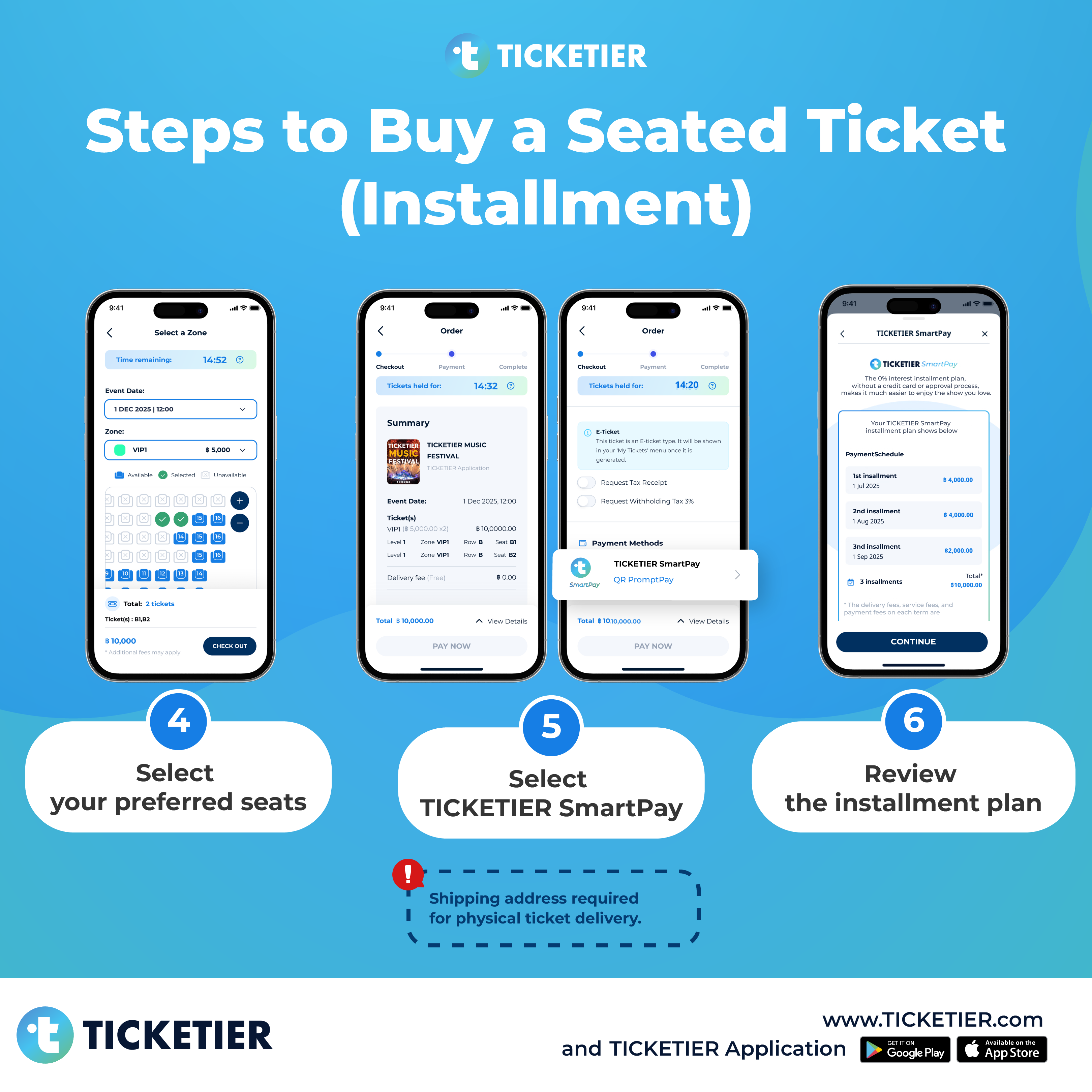
Step 4:
Select your preferred seats:
Available Selected UnavailableStep 5:
For a physical ticket sent via postal mail, please fill in the delivery address completely, then select "TICKETIER SmartPay" as a payment method
Step 6:
Review installment plan
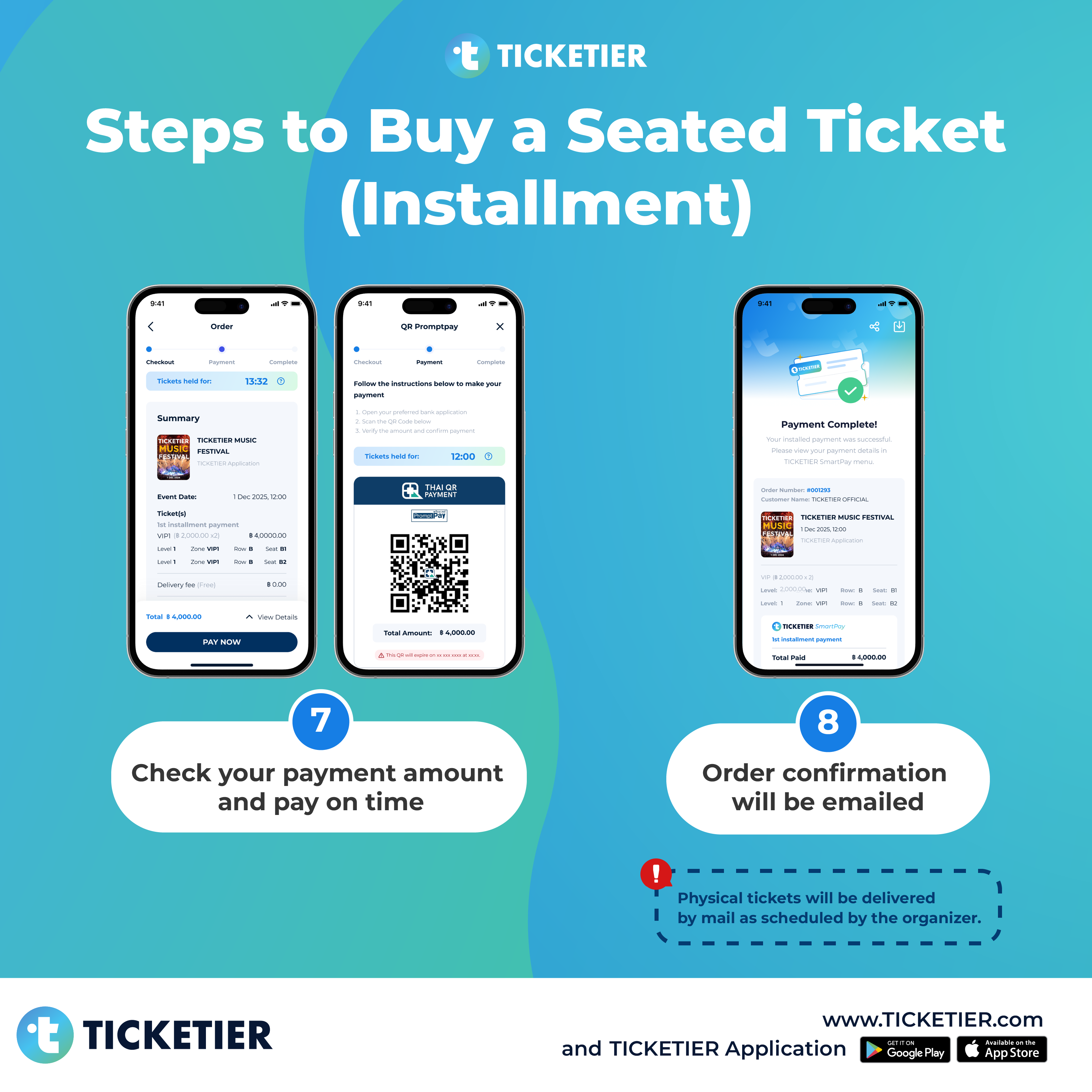
Step 7:
Check the installment amount (for the 1st, 2nd, or 3rd installment)
Step 8:
Await an email Order Confirmation after successful payment verification
Note: Check your installment payment history in the TICKETIER SmartPay menu (more detail for checking payment history click here)

Still need assistance?
Please reach out to us! We're here to help you.